Railway Dispatcher Pro — Official Site
You are the dispatcher. From a desk overlooking the entire line, you keep dozens of trains running on time. When the timetable falls apart, your orders bring it back.
Online Co-op
Run the same line and the same timetable with up to four friends on Steam. Split the stations between you, send pings to say “Look here”, and keep the whole line moving as a team. A morning rush too big for one dispatcher becomes manageable when you call it out together.
Create a room and you get a six-digit room code. Share it and others can join — no need to be Steam friends. Steam invites work too, and players can join a room that is already in progress.
The host assigns stations to players, and each station name takes that player’s color on the map. Everyone’s mouse cursor is shown with their name, so you can tell at a glance who is watching where.
Hold Q and click the map to drop a ping with a quick message — “Look here”, “I’ll hold”, “I’ll set the route” and more — on everyone’s screen.
Concept
Mastered the signals of a single station in Railway Dispatcher? Then step up a layer. In Pro you are in charge not of one station but of the entire line. Signals, routes, timetables, rolling stock — it is all on your board.
Work a station’s signals and routes by hand and send every train off on time — life in the signal box.
Oversee the whole line, read the train diagram, and bring disruptions under control with rescheduling orders — life in the dispatch center.
Features
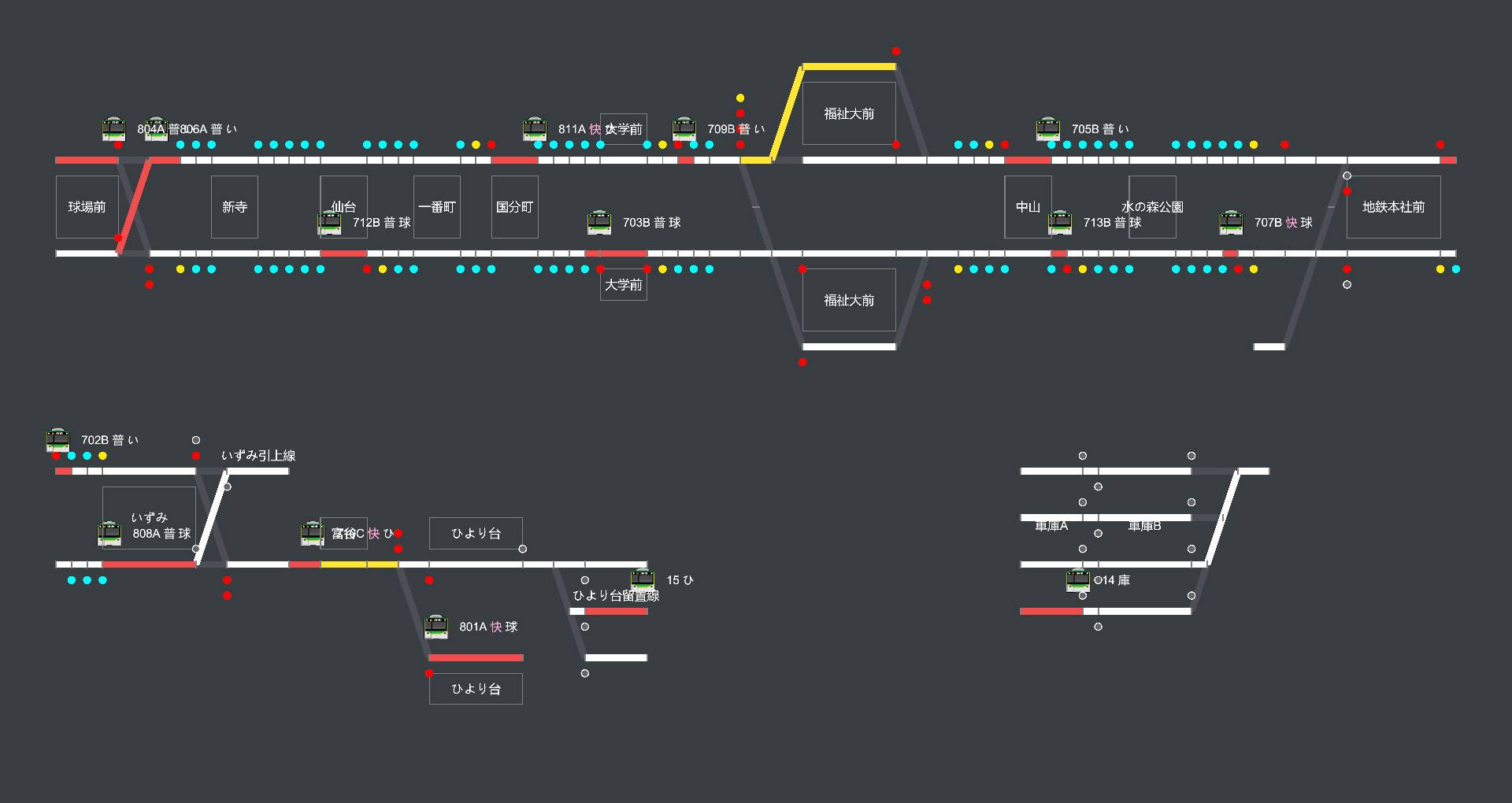
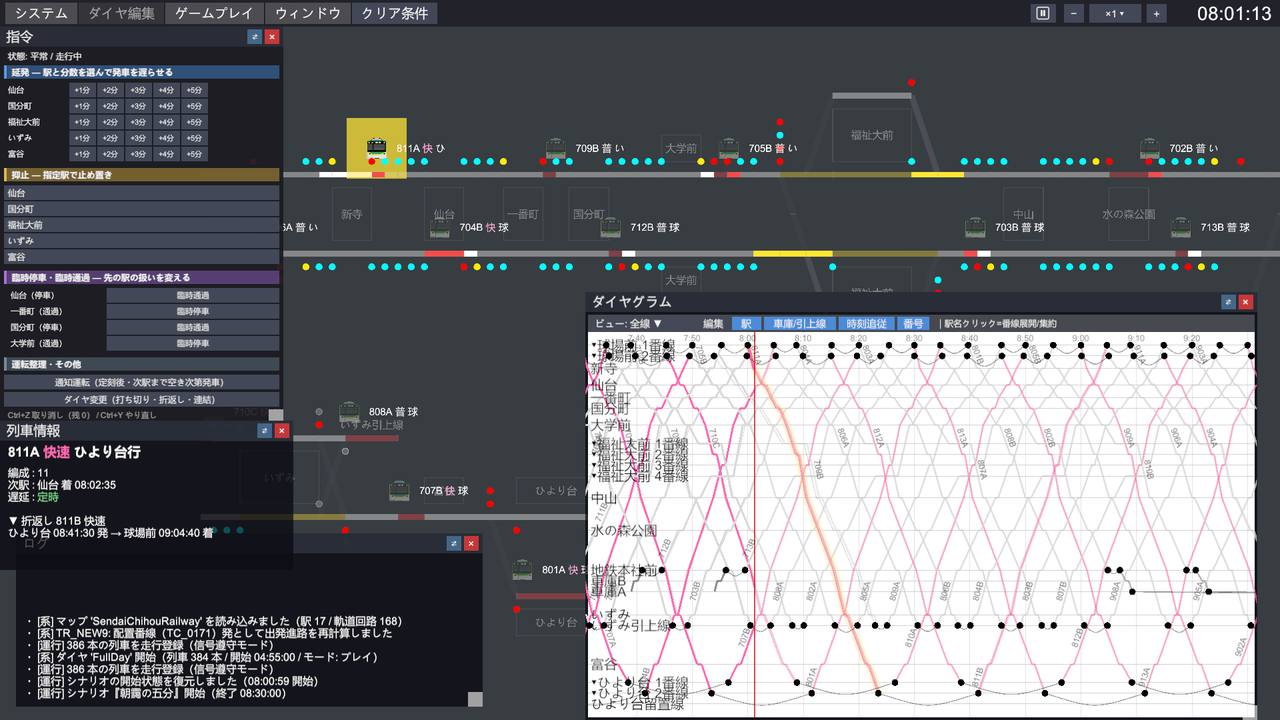
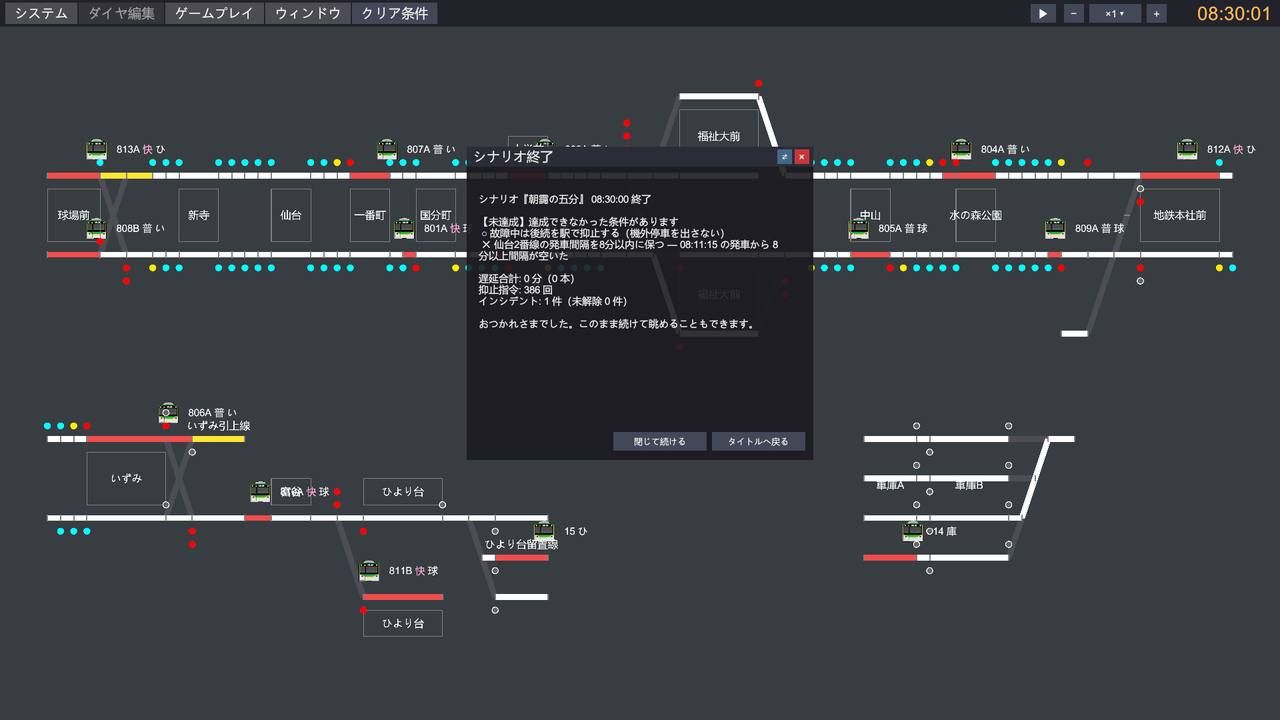
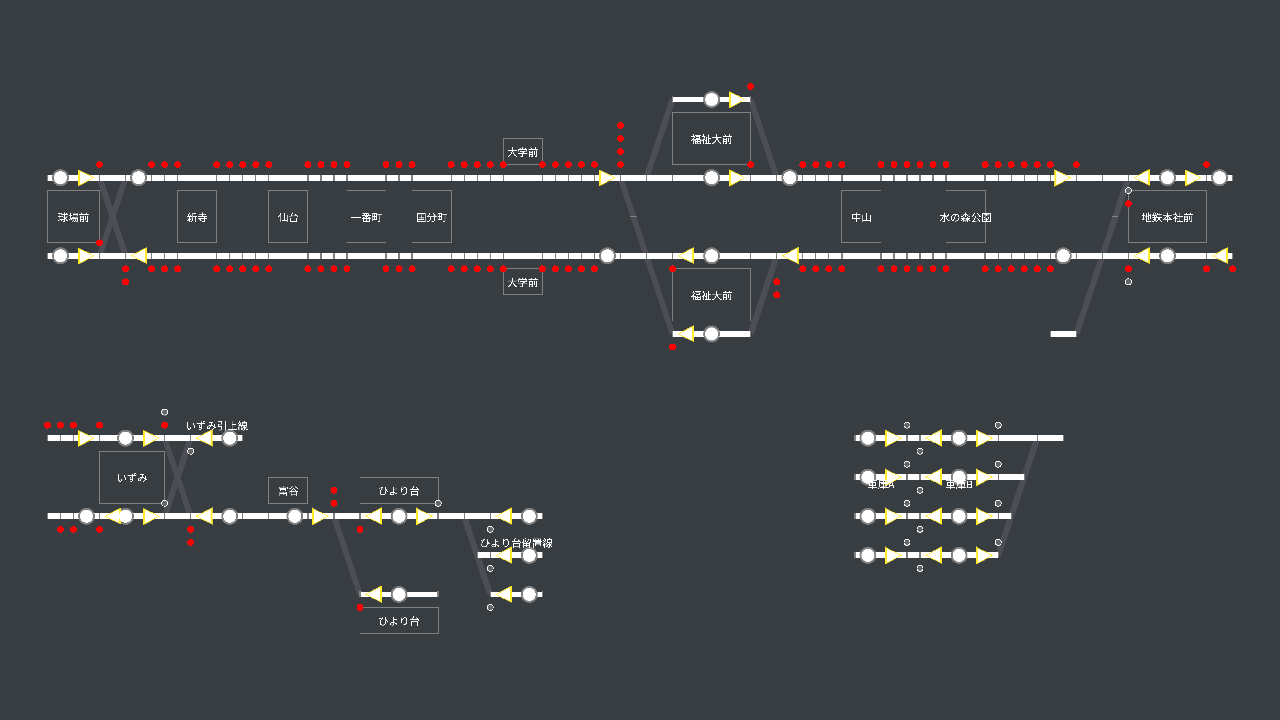
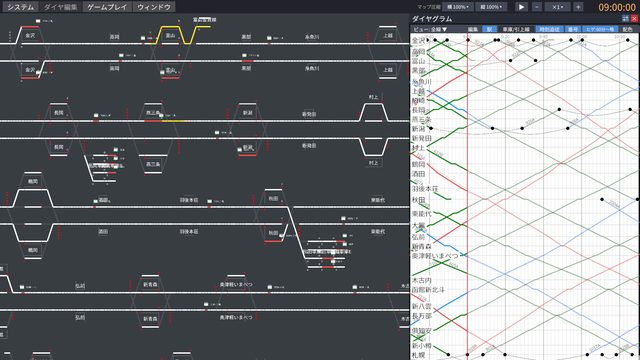
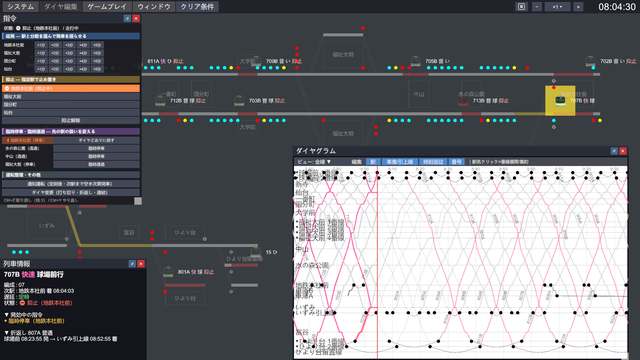
A CTC board shows every train, signal, and cleared route on the line in real time. Where trains are bunching up, where delays are about to spread — the board tells you everything. Click a train to highlight the route it is about to take in orange.

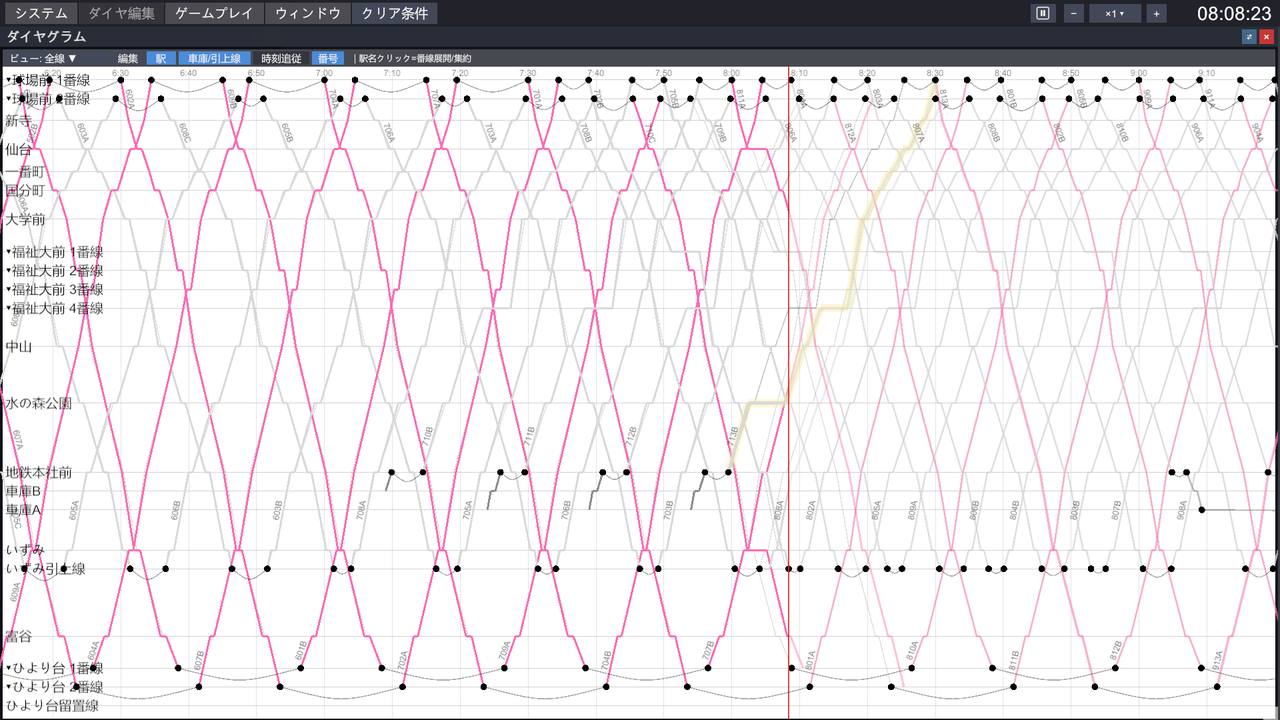
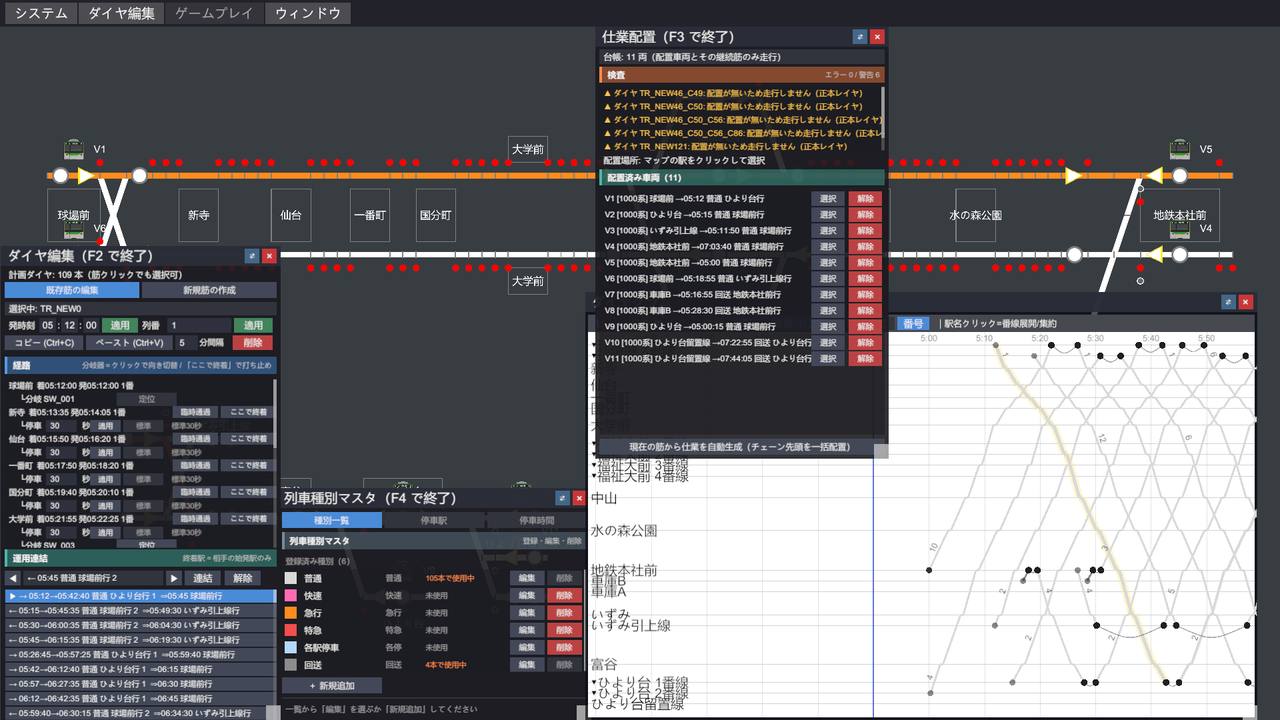
The dispatcher’s weapon is the train diagram. Planned train paths, delay-adjusted forecasts, and actual performance are drawn on top of each other, so you can see where trouble is heading before it arrives. Working between the board and the diagram to build your next move — that is the heart of dispatching.

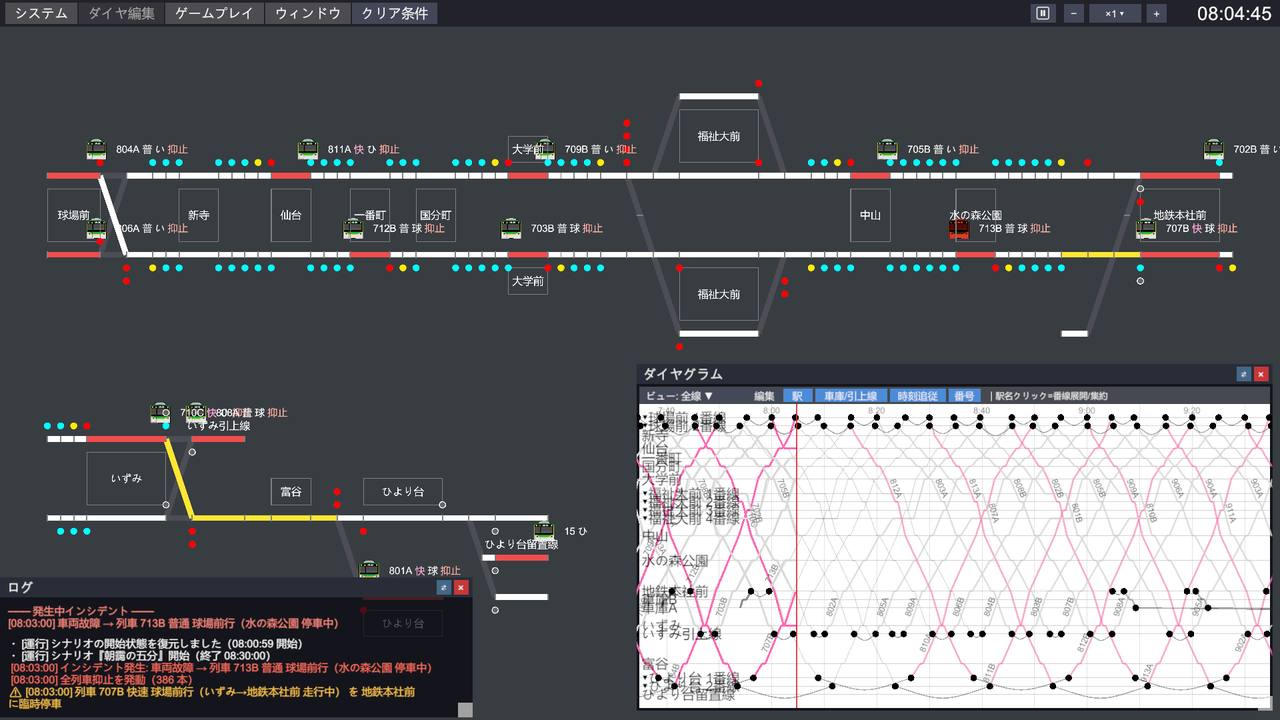
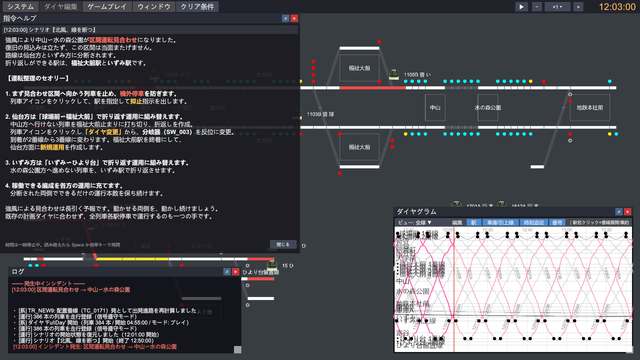
A train failure on the main line, in the middle of the morning rush. That worst possible moment is where the dispatcher’s work begins. Holds, delayed departures, extra stops, skipped stops, turnbacks, terminating short — play your rescheduling cards and rebuild a timetable that is collapsing before your eyes.

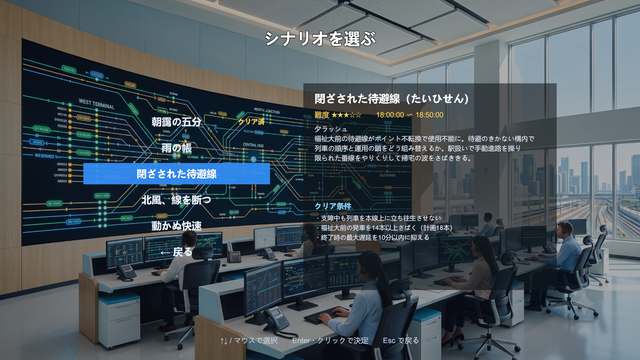
Every scenario has objectives and a rating, showing in numbers how far you held down the delays and how many trains you kept running. Same disruption, different dispatching, different results. Try again as often as you like and find the best way to reschedule.

With the Timetable Builder you design every train path yourself: dwell times, meets at passing loops, turnback services — all up to you. Watching your own timetable come to life as hundreds of trains is a joy like no other.

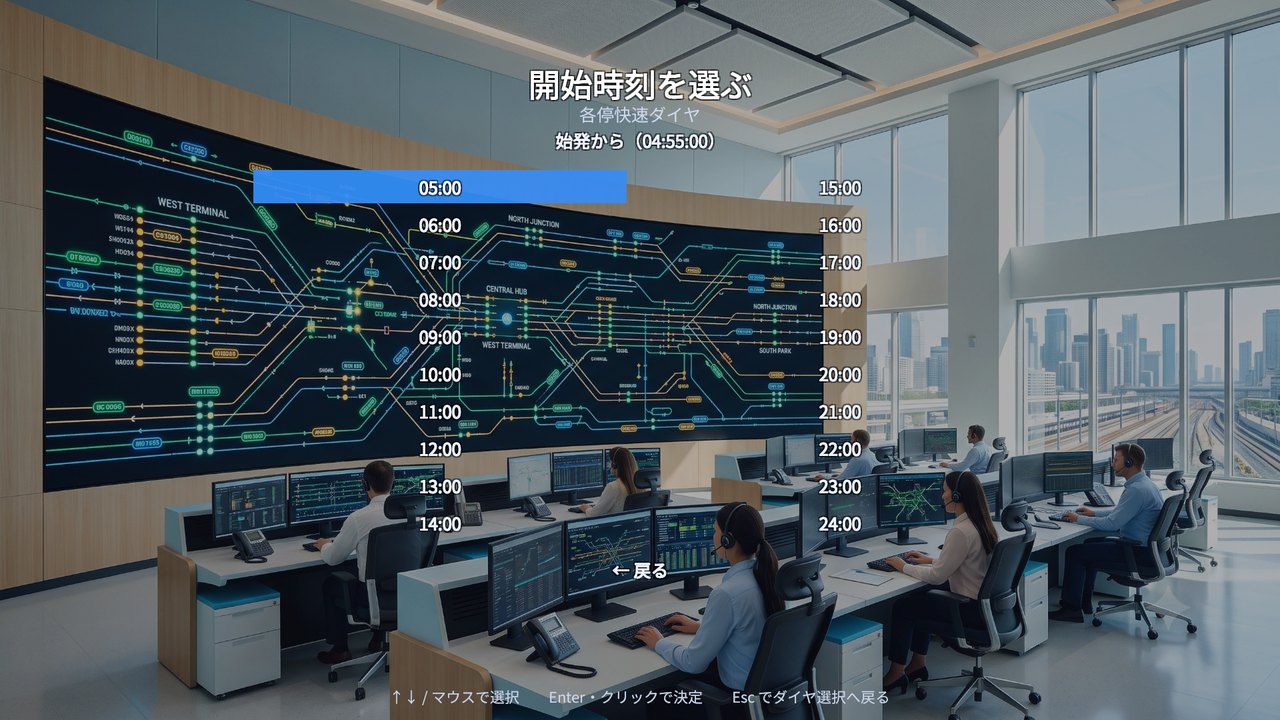
In Sandbox, pick a line and a timetable, then start from the first train or from any hour of the day. Practice just the evening rush over and over, or watch only the late-night return to the depot — no waiting through long stretches at high speed. You can also trigger incidents wherever you like.

How to Play
No complicated controls. Watch, decide, give orders. That loop is the fun of running a railway.
Read the situation on the CTC board and the diagram. Where is a delay starting, and where is it about to spread? Select a train to see the route ahead of it at a glance.
Which train goes first? Where do you turn back? There is no single right answer. Your decisions become the timetable.
Holds, delayed departures, extra stops, turnbacks — carry them out instantly from the orders menu, and the trains respond.
Watch → Decide → Give orders. And the timetable recovers.
Incidents & Orders
Dispatching is a battle of wits between the disruption and the cards in your hand. The game features four types of incident and a full set of orders modeled on real-world rescheduling.
A train breaks down on the main line and cannot move an inch until it is fixed. On a dense timetable, a stop of a few minutes turns into disruption across the whole line.
A switch that won’t move or an obstruction on the track closes a section, and routes through it can no longer be set. How well can you juggle the tracks you have left?
Heavy rain or strong wind forces slow running between stations. It doesn’t stop at delaying a few trains — it upsets intervals and connections and slowly spreads across the whole line.
Strong wind or a power failure closes a section to all trains. The line is cut in two, and large-scale rescheduling begins as you set up turnback services on each side.
For a moving train, whether it can still stop in time depends on its current speed and the distance left. Decide early.
A train you terminate short stays on that station’s track. Getting it out of the way is part of the job, too.
Lines & Scenarios
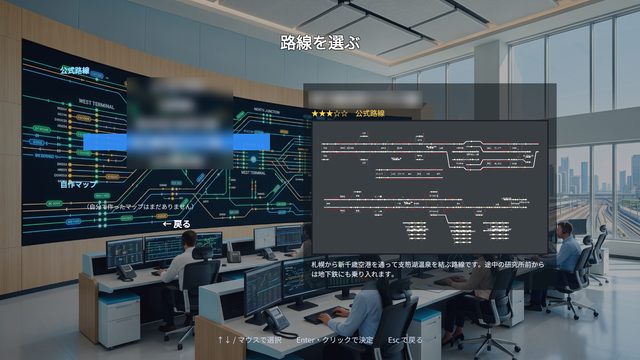
From a suburban private railway to a downtown subway, an airport line, and a shinkansen — five lines with very different characters, each with scenarios based on the kinds of disruption real railways face. Every line can be dispatched freely in Sandbox, and on the Steam Workshop you can also play lines made by other players.
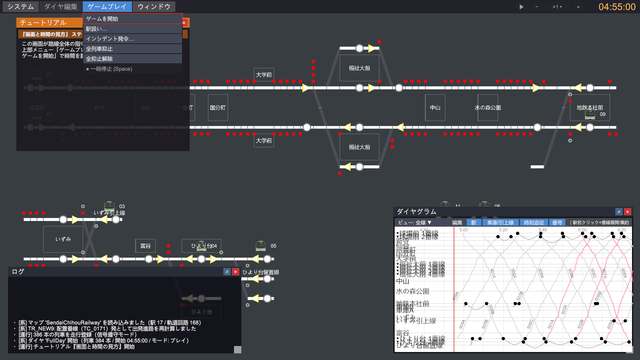
No railway knowledge required. Five tutorials take you step by step from the basics up to advanced station control. A red on-screen guide frame points at exactly what to press next, so you learn by doing — no manual needed.

Kyujo-mae – Sendai – Hiyoridai, 13 stations / Local & Rapid Timetable: 384 trains · Locals-Only Timetable: 377 trains
A line running out from the city of Sendai into the suburbs. Beyond Izumi it is single track, and the passing stations where trains meet hold everything together. Connections between rapids and locals shape the daily timetable. The tutorials take place on this line, too.

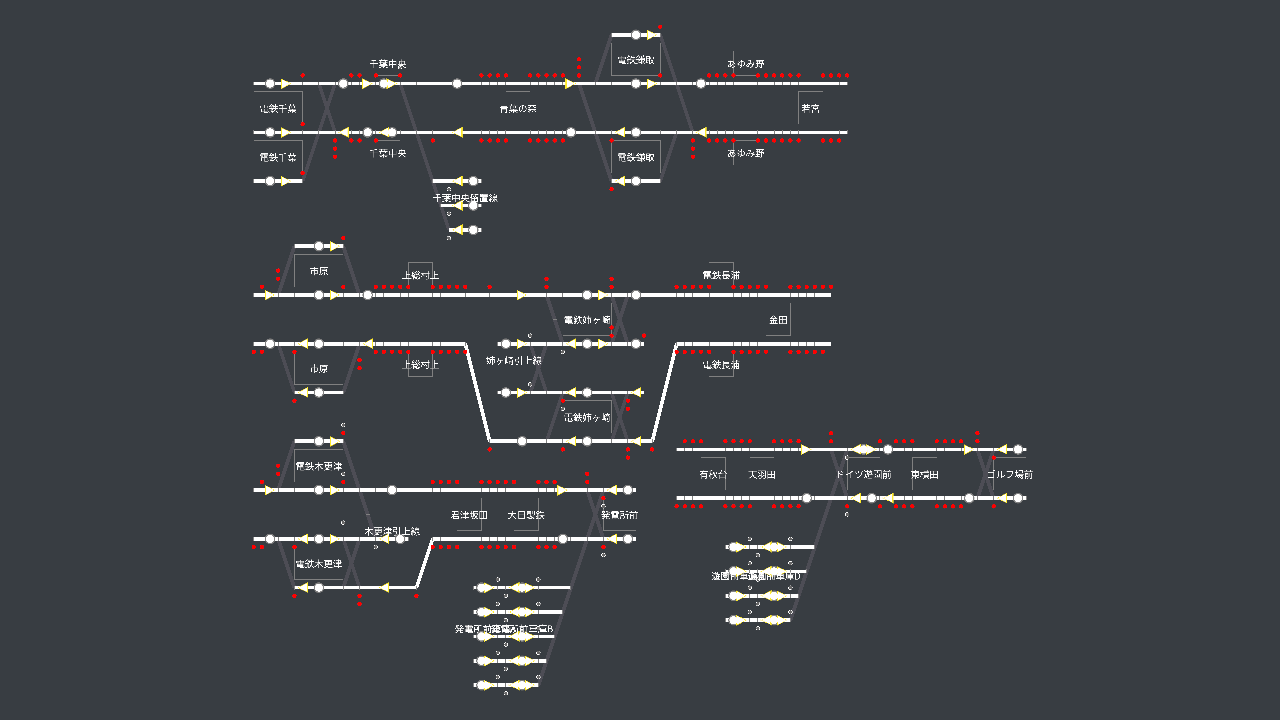
Chiba – Anegasaki – Hatsudensho-mae / Anegasaki – Golf Course, 20 stations / Weekend/Holiday: 360 trains · Weekday: 594 trains
A main line running down the Boso coast from Chiba, and a branch that splits off inland at Anegasaki. Rapids, expresses, and locals share the tracks, and overtaking at passing stations is the highlight.

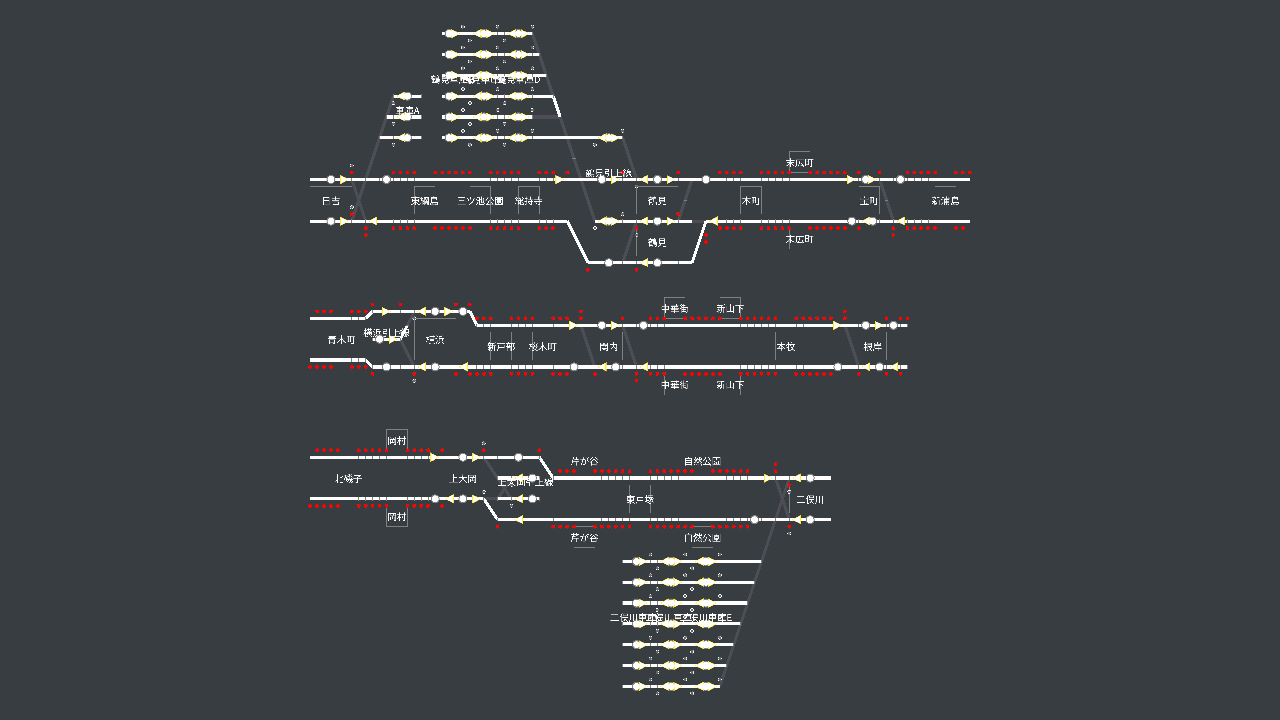
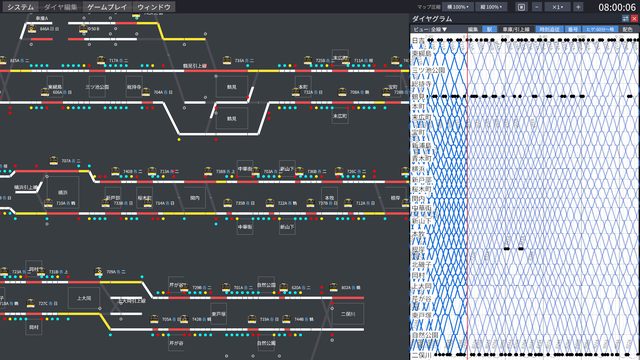
Hiyoshi – Yokohama – Kamiooka, 25 stations / Weekend/Holiday: 374 trains · Weekday: 569 trains
From Hiyoshi through downtown Yokohama to Kamiooka. In the morning, trains to and from Yokohama run every two and a half minutes. On a high-frequency line with only a few stations where trains can turn back, your orders must keep the intervals intact.

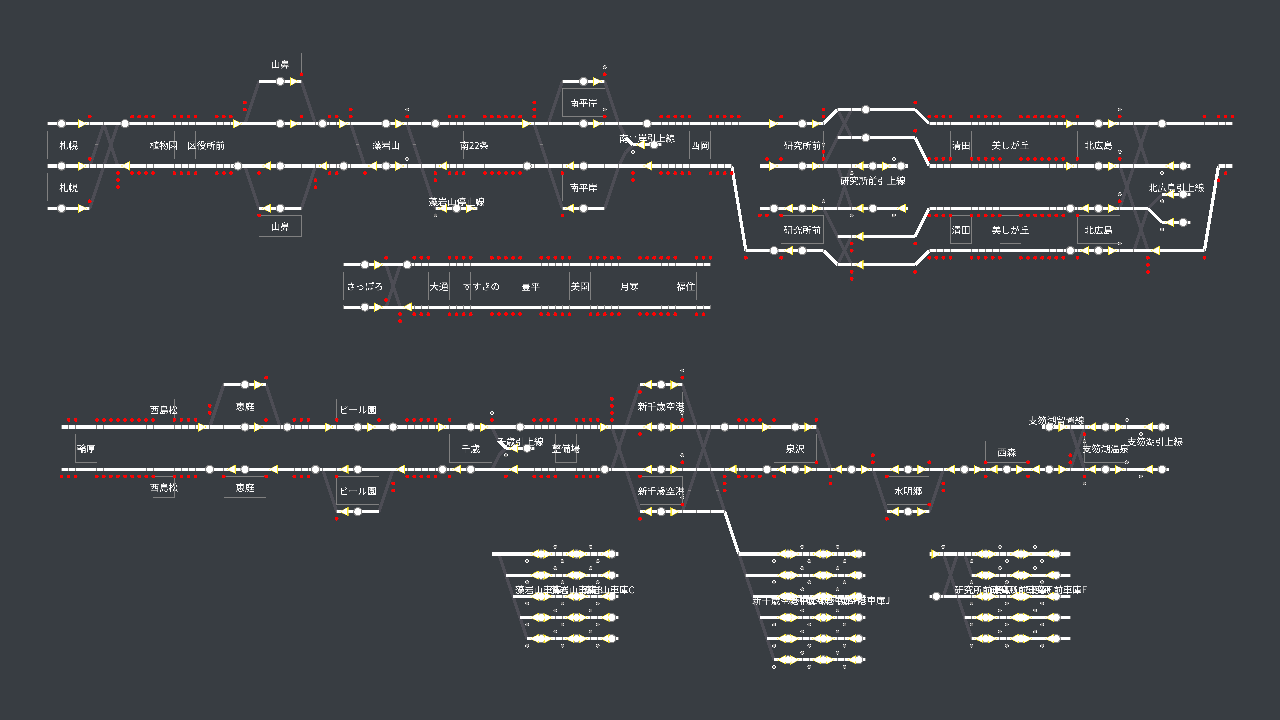
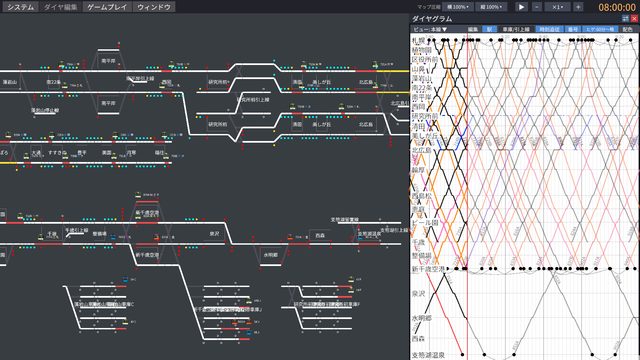
Sapporo – New Chitose Airport – Lake Shikotsu Onsen, 30 stations / Weekend/Holiday: 655 trains · Weekday: 732 trains
From Sapporo via New Chitose Airport to Lake Shikotsu Onsen. Through-running onto a subway, quadruple track as far as Kitahiroshima, and single track out toward the hot springs — every kind of layout packed into one line. With 732 trains a day on weekdays, it is the largest line in the game.

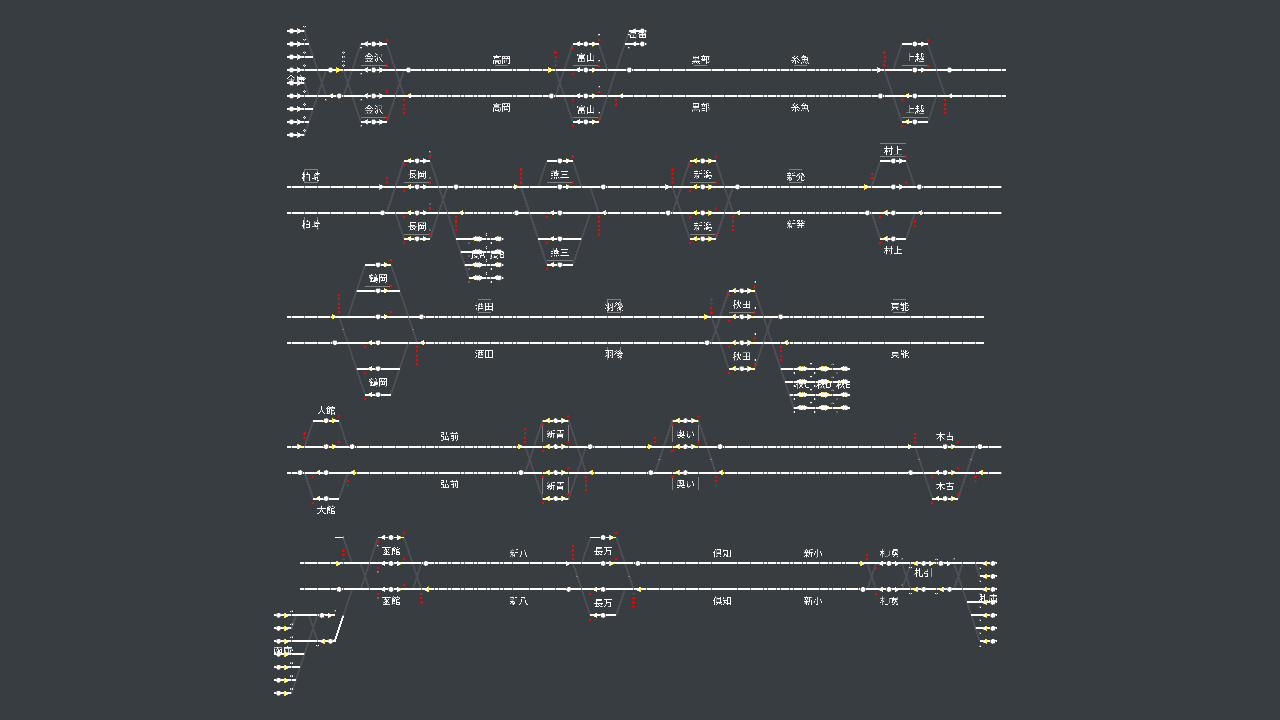
Kanazawa – Shin-Aomori – Sapporo, 28 stations / Off-Peak Timetable: 171 trains
From Kanazawa along the Sea of Japan to Aomori, and on to Sapporo. Trains racing at 275 km/h are protected by two-aspect red/green ATC signals. Stations are far apart, and delays pile up on a scale far beyond any conventional line — rescheduling where distance and speed are on another level.
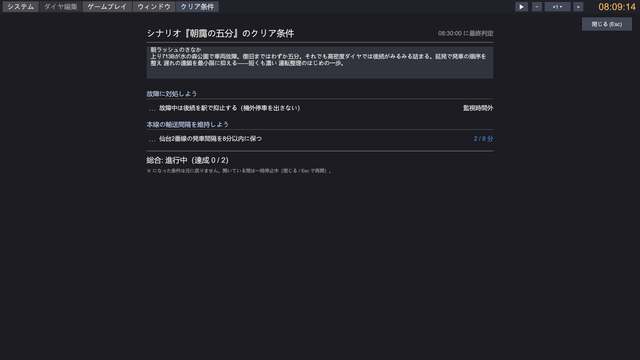
Each scenario sets several objectives, and while you play, the Objectives window tracks your progress with live numbers. How many more minutes of delay can you afford? How many more departures do you need? Giving orders with one eye on those numbers is pure tension — same disruption, different dispatching, different results.
Map Editor
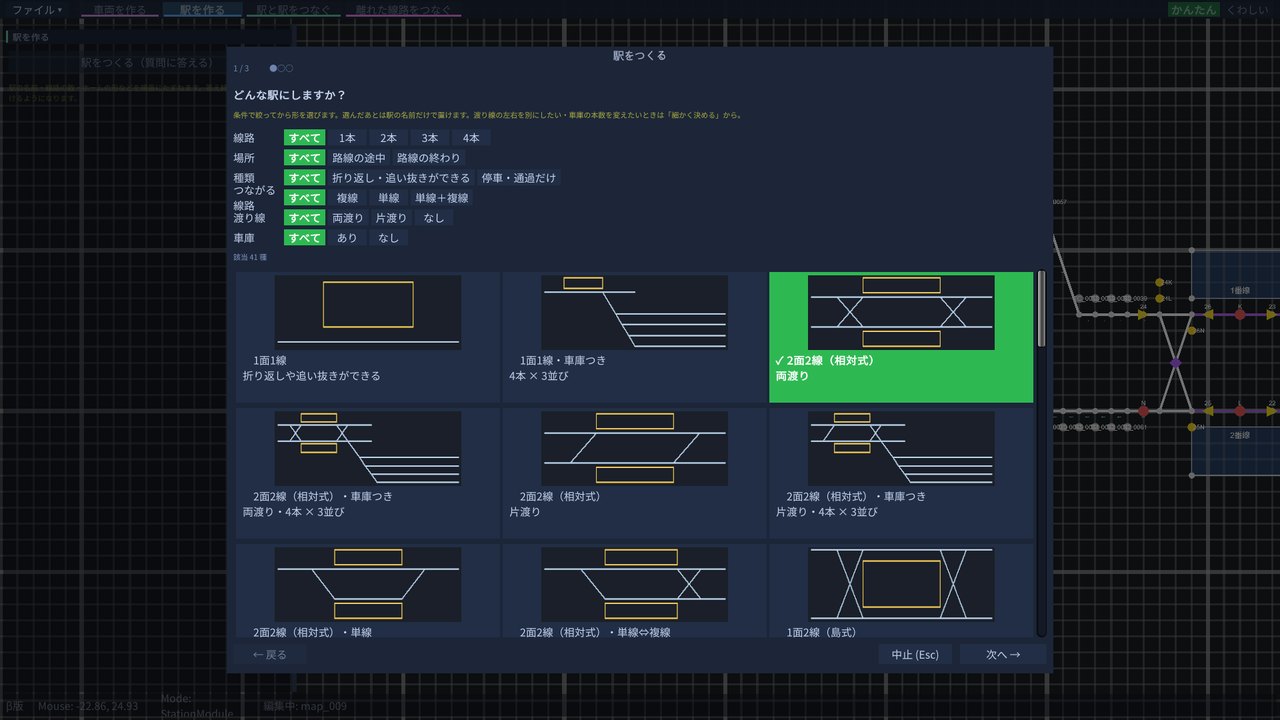
Choose “Map Editor” on the title screen to build a line from scratch. Place stations, connect them, and the signals, levers, and routes are laid out for you. Your line appears in Sandbox and the Timetable Builder, so you can go straight from building it to writing its timetable and dispatching it. Publish it to the Steam Workshop and other players can play it too.
Pick a track layout to place a station; a few clicks between stations lay the track, blocks, and signals in one go. Long lines can be drawn in several rows that fold back on themselves by connecting separate tracks.
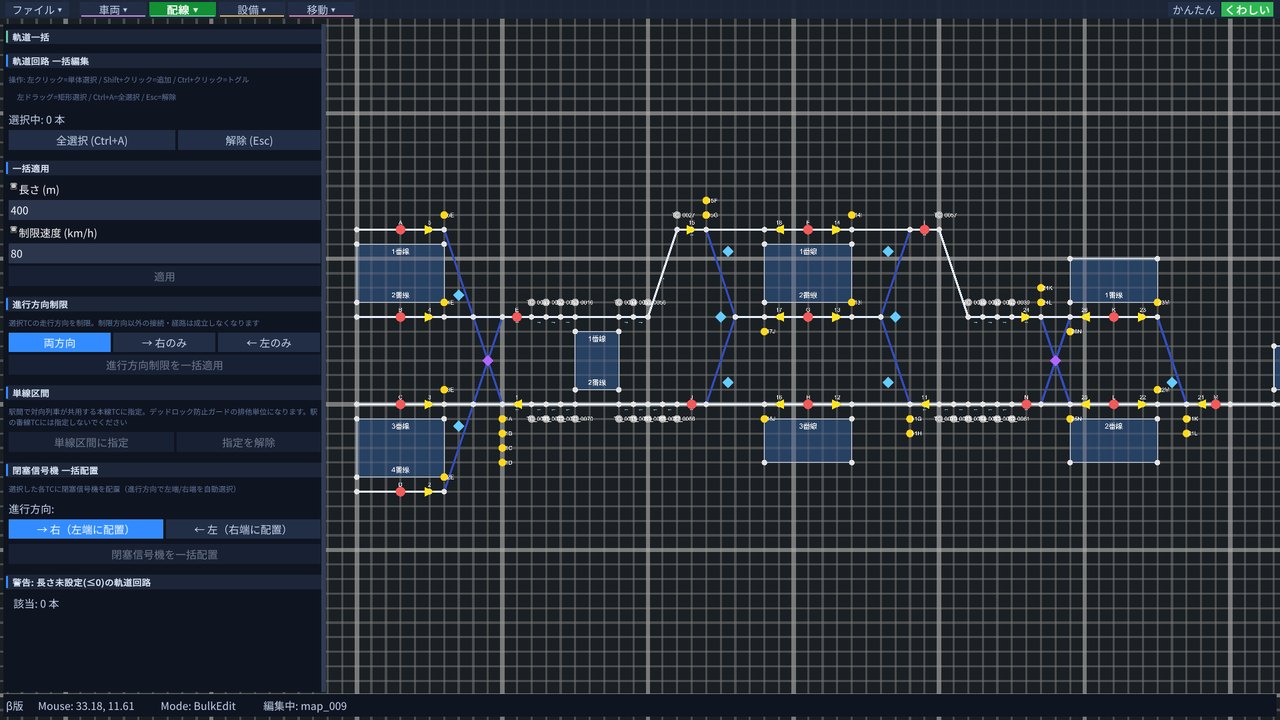
Place and edit track circuits, switches, levers, routes, and signals one by one — or use it to finish off a line you built in Easy mode. Switch between the two modes at any time from the top right; both produce the same line.
Publish your lines to the Steam Workshop, and subscribe to lines other players have made — they appear in line selection. Workshop lines can be used for co-op rooms too.
Gallery
Product
Series
The first game in the series, where you work a station’s signals and routes by hand. If you’d like to start with the fun of running a single station, begin here. Play both it and Pro, and you’ll see every layer of how a railway is run.
View on SteamFAQ
Yes. The tutorials guide you step by step from the basics, so it’s fine if signals and train diagrams are new to you. Once you’re comfortable, take on lines and scenarios with more difficulty stars. Dispatching together with an experienced player in co-op is a great way to learn, too.
No. Pro is a standalone game, and no story or save data carries over.
Yes. Choose “Map Editor” on the title screen, place stations and track to build a line, then write its timetable and dispatch it. You can build lines like those in the official maps, though some track layouts cannot be made (for example, loop lines whose start and end are the same station). Please send bugs and requests via Contact (English) in the manual.
Yes. Publish a line to the Steam Workshop from the Map Editor and other players can subscribe to it and play. Lines published to the Workshop can be used for co-op rooms too.
Yes. In online co-op, up to four players on Steam can dispatch the same line and the same timetable together. Create a room from “Co-op” on the title screen and invite others with the six-digit room code or a Steam invite (with a room code, they don’t need to be your Steam friends). Every player needs their own copy of the game, and Windows and Mac players can play together. There is no in-game voice chat, so use Discord or similar alongside it.
The five built-in lines and lines from the Steam Workshop. Co-op uses Sandbox (free play); scenarios and tutorials are single-player only. If the host picks a Workshop line you don’t have, you can subscribe to it on the spot when you join.
Streaming, videos, let’s plays, clips, and monetization are all welcome — no prior permission needed. All revenue is yours. Steam-membership-only streams are fine too.
Yes. On Steam, the game supports Windows and macOS (both Intel and Apple silicon). Windows and Mac players can also play co-op together.
Seven languages: Japanese, English, Simplified Chinese, Traditional Chinese, Korean, German, and Indonesian. The manual is available in Japanese and English.